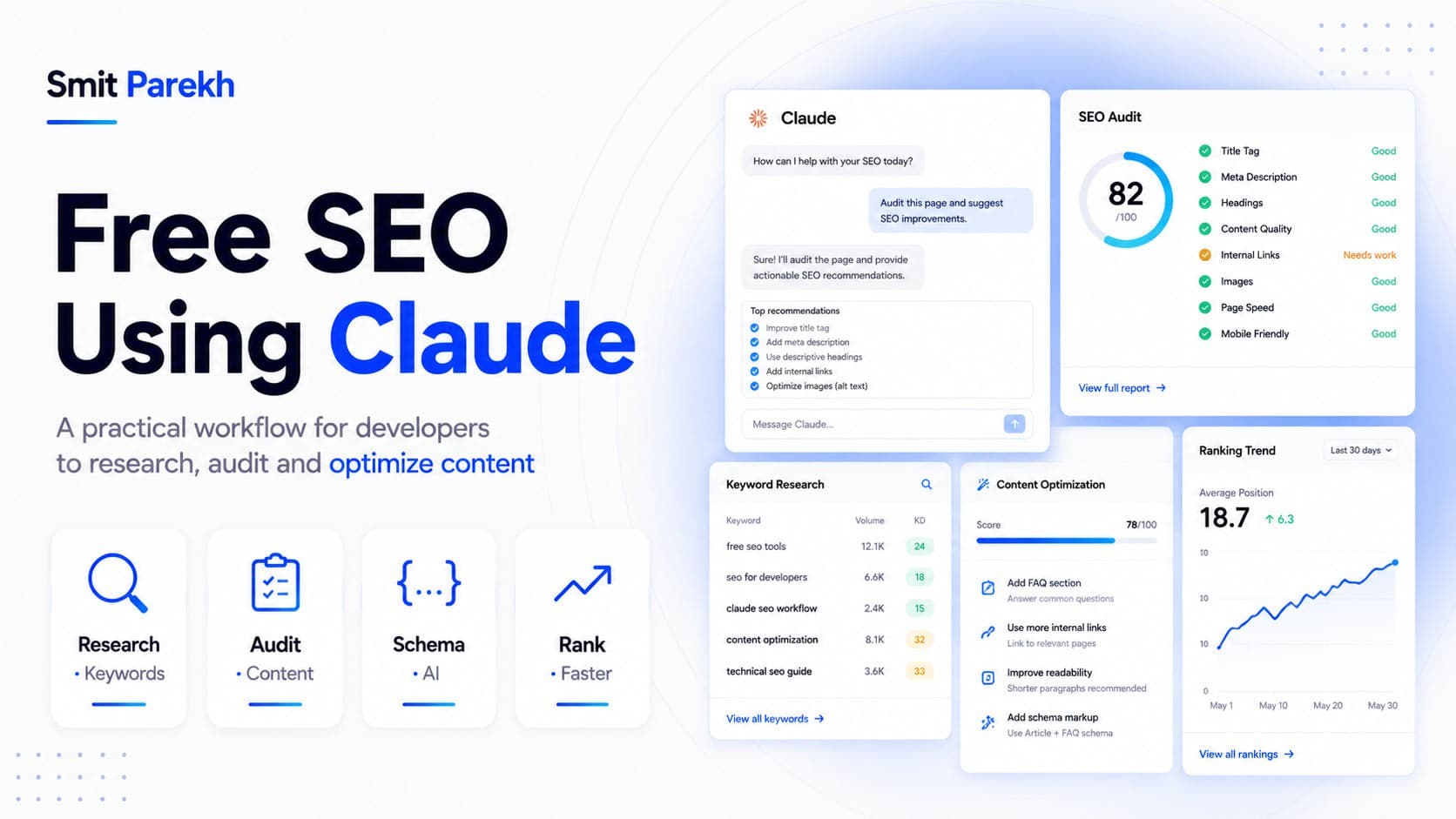
Most developers assume serious SEO means a paid stack — Ahrefs, Semrush, Surfer, and a monthly bill to match. You can get surprisingly far with none of them. Used deliberately, Claude covers keyword research, on-page audits, metadata, structured data, and content briefs for the price of a free plan and a handful of good prompts. This is the exact workflow I run on my own portfolio and on client sites before anyone spends a rupee on tooling.
Why Claude works as a free SEO assistant
Search engines reward content that answers intent clearly, is cleanly structured, and signals real expertise. Those are language problems, and language is what a model like Claude is built for. It will not crawl the live web or hand you real-time search volume — that is the honest limit — but it reasons about intent, structure, and clarity better than most keyword tools, and it never charges per query.
Three things make it genuinely useful in practice:
- It reads your actual page content and tells you precisely what is missing.
- It drafts titles, descriptions, and schema in the exact formats Google parses.
- It turns a vague topic into a structured brief you can hand to a writer — or to yourself at 9am with no ideas.
What
you need to start
Nothing but a Claude account and your page content. For a quick win, copy a page's visible text and headings into the
prompt. For anything recurring, paste the rendered HTML so Claude sees heading hierarchy, alt text, and metadata the way a crawler does. If
you build with Next.js, you already have this — your generateMetadata output and rendered Server Components are exactly what the bot
receives.
Step 1 — Research keywords by intent, not vanity volume
Start with intent. Give Claude your topic and audience and ask it to map search intent and cluster related queries:
You are an SEO strategist. For the topic "free SEO using Claude,"
list the
  primary keyword, 8 long-tail variations, and the dominant
search intent (informational, commercial, transactional) for each.
Group them into
  3 content clusters.
You get a keyword map that mirrors how a topic-cluster tool reasons — pillar topics, supporting articles, and the intent behind each. Validate the volume guesses later in Google Search Console or Keyword Planner, both free, but the hard part — structure — is done in seconds.
Step 2 — Audit a page the way a crawler sees it
Paste a page's content and ask for a gap audit:
Audit
  the page below for on-page SEO. Check the title, H1, heading
order, keyword coverage, internal-link opportunities, and thin
sections. Return
  a prioritized fix list, highest impact first.
Claude flags what humans skim past: a missing H1, two H2s fighting over the same keyword, a 90-word section that should be 250, no internal links pointing to your money pages. Because it reads the whole page at once, it catches structural problems a line-by-line checklist tends to miss.
Step 3 — Titles, meta descriptions, and headings to spec
This is where the free workflow pays off fastest. Ask for options inside hard constraints:
Write 5 title tags (50-60 chars) and matching meta
  descriptions
(150-160 chars) for this page. Put the primary keyword near the
start of the title. Every description must end with an action
  verb.
Writing to spec — exact character counts, keyword placement, a call-to-action verb — is precisely the constrained task the model is best at. Generate ten, keep the two strongest, tweak by hand, and ship. What used to be an afternoon of bikeshedding becomes a two-minute decision.
Step 4 — Generate structured data for rich snippets
Rich results come from valid schema, and hand-writing JSON-LD is tedious and error-prone. Claude produces it cleanly:
Generate BlogPosting JSON-LD for this article. Include headline,
description,
  author as a Person, datePublished, keywords, wordCount,
and image. Output valid JSON-LD only, no commentary.
Drop it into your page,
confirm it in Google's Rich Results Test, and move on. The same approach generates FAQPage, BreadcrumbList, Product, and Organization
schema — the building blocks behind most rich snippets you see in the SERP.
Step 5 — Build the content brief before you write
Before drafting a word, have Claude produce the brief: the target keyword, the intent, a full H2/H3 outline, the questions readers actually ask, and the entities and terms to mention for topical coverage. A solid brief is half the ranking battle, and it kills the blank-page problem outright. Ask it to base the outline on what already ranks for the query so you cover the table stakes, then add an angle competitors miss.
Step 6 — Internal linking and topical authority
Single pages rarely rank in isolation; clusters do. Give Claude a list of your existing post titles and URLs and ask where the new article should link, and which old posts should link back to it. It will propose a sensible internal-link graph that concentrates authority on your pillar pages — the same logic a paid site-audit tool sells, derived from content you already own.
A reusable audit prompt
Save this one and swap the variables — it does most of the above in a single pass:
You are a senior SEO strategist. Page topic: {topic}. Audience:
{audience}. Page content: {paste}. Return: (1) primary and
  secondary
keywords, (2) a fix list ranked by impact, (3) one optimized title
and meta description, (4) BlogPosting JSON-LD. Be specific, no
  fluff.
One prompt, four deliverables, zero cost.
Where Claude should not replace real tools
Be honest about the edges. Claude does not give you live keyword volume, real backlink data, SERP rank tracking, or server crawl logs — and it can confidently guess a number that is simply wrong. For hard data, lean on free first-party sources: Google Search Console, Bing Webmaster Tools, the URL Inspection tool, and PageSpeed Insights. Use Claude for the language and structure layer, and those tools for the data layer. Together they cover most of what a paid suite does for an early-stage site.
The takeaway
Free SEO using Claude is not a hack — it is a repeatable workflow. Research intent, audit structure, generate metadata and schema to spec, brief your content, and map internal links, all without a subscription. Reach for paid tools once traffic and revenue justify them. Until then, a thoughtful prompt and your own page content will take you further than most teams expect — and you can start this afternoon.