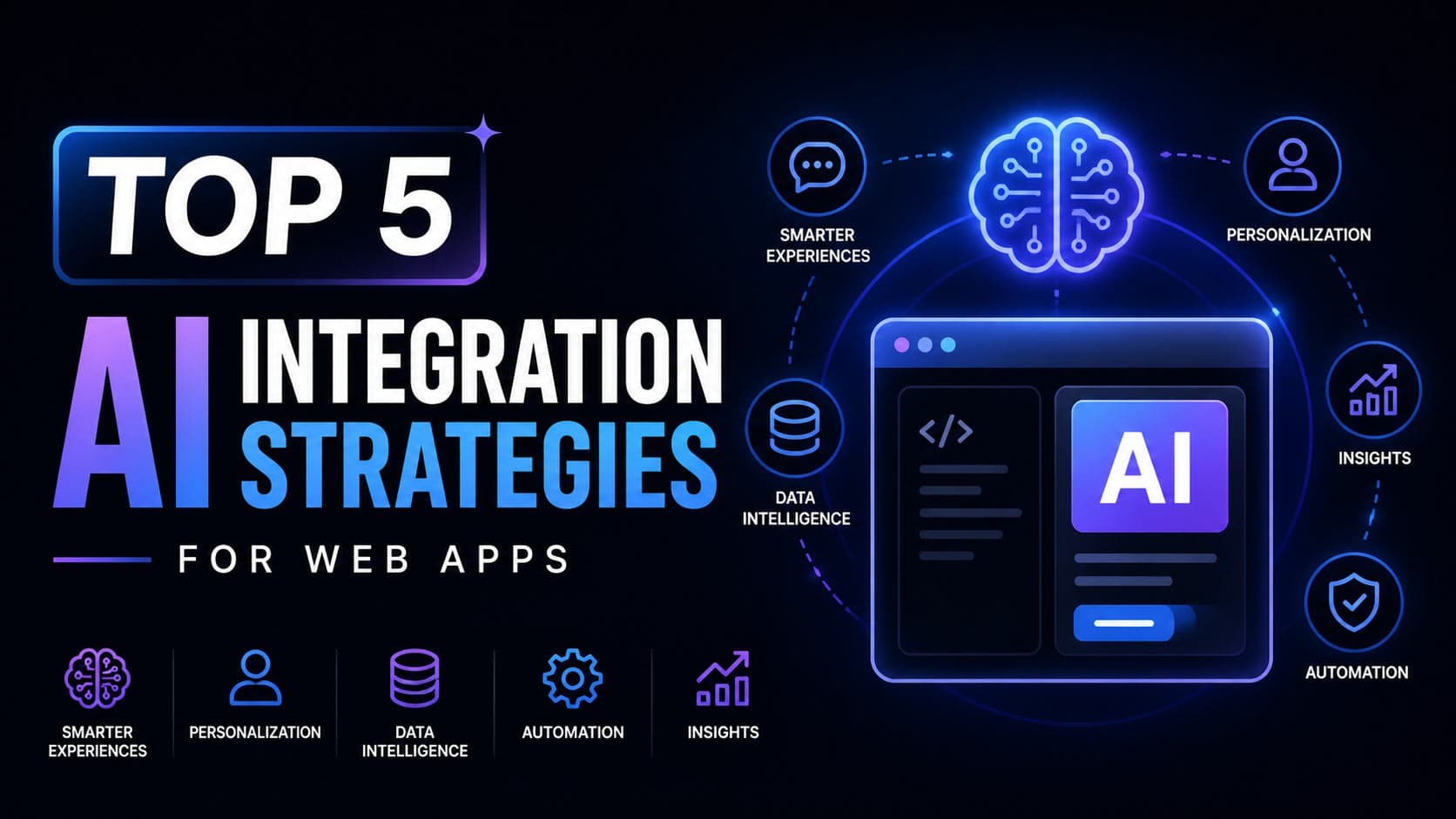
- *Personali
Integrating Artificial Intelligence into web applications is no longer a futuristic concept; it's a present-day necessity for competitive advantage. Businesses are leveraging AI to personalize user journeys, automate tasks, and extract valuable insights. However, approaching AI integration without a clear strategy can lead to wasted resources and underwhelming results. This guide outlines five proven strategies to effectively embed AI into your modern web applications, ensuring you harness its power for tangible business outcomes.
zation Engines:** Tailor user experiences with AI-driven recommendations and content.
- Intelligent Chatbots: Provide instant, 24/7 customer support and streamline user interactions.
- Predictive Analytics: Forecast user behavior and optimize business operations.
- Content Generation Tools: Automate the creation of marketing copy, code snippets, or reports.
- AI-Powered Search: Deliver more relevant and contextual search results within your application.
1. Building Personalized User Experiences with Recommendation Engines
Personalization is a cornerstone of modern web applications. AI-powered recommendation engines can analyze user behavior, historical data, and item similarities to suggest relevant content, products, or features. This significantly enhances user engagement and retention.
Implementation Strategy:
- Data Collection: Gather user interaction data (clicks, views, purchases, ratings).
- Feature Engineering: Create meaningful features from raw data (e.g., user demographics, item categories).
- Model Selection: Choose appropriate algorithms like collaborative filtering (user-item interactions) or content-based filtering (item attributes).
- Deployment: Integrate the model via an API endpoint. For instance, a Node.js backend can serve recommendations to a React frontend.
Example Scenario: An e-commerce platform uses past purchase history and browsing patterns to suggest "Customers who bought this also bought..." or "You might also like..." sections. This can be implemented using libraries like TensorFlow.js or by integrating with cloud AI services (AWS Personalize, Google Cloud Recommendations AI).
Trade-offs: Requires substantial historical data for effective training. Cold-start problem for new users/items needs careful handling.
2. Deploying Intelligent Chatbots for Enhanced Customer Support
Chatbots have evolved from simple scripted responses to sophisticated conversational agents powered by Natural Language Processing (NLP) and Large Language Models (LLMs). They can handle customer inquiries, guide users through processes, and even perform basic transactions.
Implementation Strategy:
- Define Scope: Clearly outline the chatbot's purpose (e.g., FAQs, order tracking, lead generation).
- Choose Platform/Framework: Utilize services like Dialogflow, Microsoft Bot Framework, or open-source libraries like Rasa.
- NLP Integration: Train the model to understand user intents and extract entities.
- Backend Integration: Connect the chatbot to your application's APIs for real-time data access (e.g., checking order status).
- User Interface: Embed the chat widget seamlessly into your web application.
Example Scenario: A SaaS application uses an AI chatbot to answer common technical questions, guide users through feature setup, and escalate complex issues to human support agents. The cost can range from a few hundred dollars for basic setups using cloud services to thousands for highly customized, self-hosted LLM solutions.
Trade-offs: Achieving human-like conversation is challenging. Requires continuous monitoring and retraining to improve accuracy and handle edge cases.
3. Leveraging Predictive Analytics for Business Optimization
Predictive analytics uses historical data and AI algorithms to forecast future outcomes, enabling proactive decision-making. This can apply to user churn, sales forecasting, inventory management, and more.
Implementation Strategy:
- Identify Key Metrics: Determine which business metrics can benefit from prediction (e.g., customer lifetime value, conversion rates).
- Data Preparation: Clean, transform, and structure relevant historical data.
- Model Training: Employ machine learning models (e.g., regression, time-series analysis) using tools like scikit-learn or cloud ML platforms.
- Actionable Insights: Develop dashboards or alerts that present predictions in an understandable format.
- Integration: Feed predictions back into operational workflows or user-facing features.
Example Scenario: A subscription service uses predictive analytics to identify users at high risk of churn. The system can then trigger targeted retention campaigns (e.g., special offers, personalized outreach). This could involve a Python backend using Pandas and XGBoost, serving predictions to the frontend via a REST API.
Trade-offs: Accuracy depends heavily on data quality and the complexity of the underlying patterns. Predictions are probabilistic, not definitive.
4. Automating Content Creation with Generative AI
Generative AI models, particularly LLMs, can assist in or fully automate the creation of various types of content, from marketing copy and blog post drafts to code snippets and data summaries.
Implementation Strategy:
- Define Content Needs: Identify repetitive or time-consuming content generation tasks.
- Select LLM API/Model: Choose a suitable model (e.g., OpenAI's GPT series, Anthropic's Claude) or fine-tune an open-source alternative.
- Prompt Engineering: Craft effective prompts to guide the AI in generating desired output.
- Integration: Build tools or plugins within your application that leverage the LLM API.
- Human Oversight: Implement a review process for AI-generated content to ensure quality and accuracy.
Example Scenario: A development team integrates an AI assistant into their IDE (e.g., VS Code extension) that can generate boilerplate code, write unit tests, or explain complex code segments. This reduces development time and aids learning. Costs vary widely based on API usage, from pennies per request to significant monthly bills for heavy enterprise use.
Trade-offs: Requires careful prompt engineering and validation. Potential for factual inaccuracies or biased output.
5. Enhancing Search Functionality with AI-Powered Search
Traditional keyword-based search can be limited. AI-powered search, often using techniques like semantic search and vector embeddings, understands the meaningandcontext behind a query, delivering far more relevant results.
Implementation Strategy:
- Data Indexing: Convert your application's content into vector embeddings using models like Sentence-BERT.
- Vector Database: Store these embeddings in a specialized database (e.g., Pinecone, Weaviate, Milvus).
- Query Processing: When a user searches, convert their query into an embedding.
- Similarity Search: Query the vector database to find embeddings (and thus content) most similar to the query embedding.
- Result Ranking: Present the most relevant results to the user.
Example Scenario: A documentation website uses AI search to allow users to ask questions in natural language (e.g., "How do I configure authentication?") and receive direct answers or the most relevant documentation pages, rather than just pages containing the keywords "configure" and "authentication". This can be built using Python with libraries like sentence-transformers and a vector database.
Trade-offs: Requires expertise in NLP and vector databases. Can be more computationally intensive than traditional search.
FAQ
Q1: What is the first step to integrating AI into a web app?
Identify a specific business problem or user need that AI can address. Start small with a clear objective, such as improving a single feature or automating a repetitive task.
Q2: How much does AI integration typically cost?
Costs vary significantly. Simple integrations using pre-built cloud AI services might cost hundreds per month. Custom solutions involving LLM fine-tuning or complex model development can run into thousands or tens of thousands of dollars for initial setup and ongoing maintenance.
Q3: Do I need a dedicated AI team?
Not necessarily for initial integration. A skilled full-stack engineer with AI/ML knowledge or a consultant can often implement common AI features. For highly complex or large-scale deployments, a dedicated team becomes more beneficial.
Q4: How can I ensure the AI outputs are accurate and unbiased?
Thorough data validation, diverse training datasets, rigorous testing, and implementing human oversight for critical outputs are essential. Continuous monitoring and model retraining are also key.
Wrapping up
Implementing AI strategically can transform your web application from functional to exceptional. By focusing on personalization, intelligent automation, predictive insights, content generation, and enhanced search, you can deliver superior user experiences and unlock new business value. If you're building something similar and want a second pair of senior eyes, get in touch.