- Prioriti
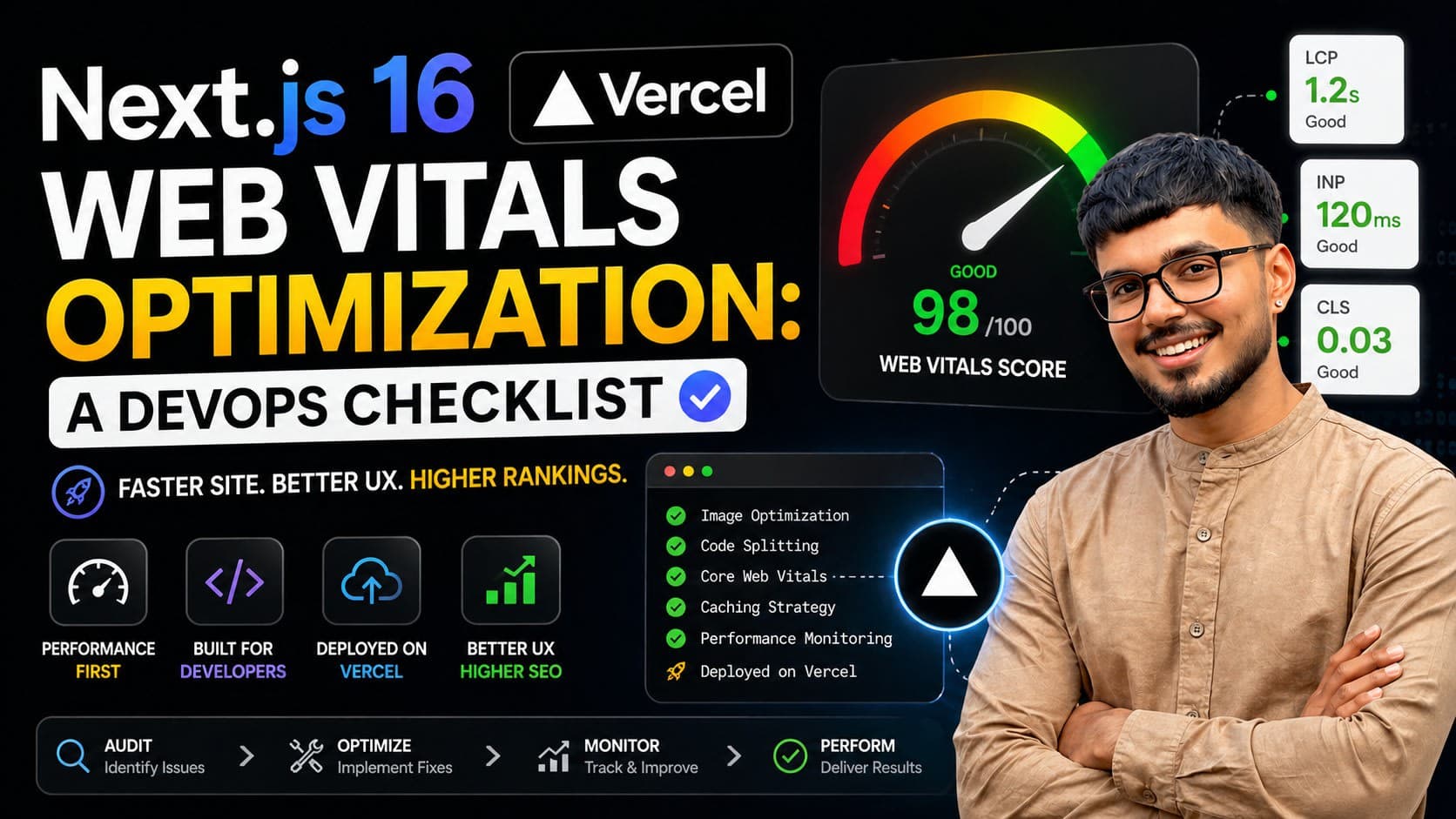
Optimizing Web Vitals for Next.js applications is crucial for user experience and search engine rankings. As Next.js continues to evolve, adopting the latest performance best practices, especially with versions like Next.js 16 on the horizon, requires a proactive DevOps approach. This guide provides a comprehensive checklist to ensure your Next.js app delivers lightning-fast performance across the US, Canada, UK, and India.
ze Core Web Vitals (LCP, FID, CLS) for optimal user experience.
- Leverage Next.js features like automatic code splitting and image optimization.
- Implement efficient caching strategies at the edge and server levels.
- Use serverless functions and CDNs for scalable, performant deployments.
- Monitor performance continuously with real user monitoring (RUM) tools.
Understanding Core Web Vitals in Next.js
Core Web Vitals are a set of metrics Google uses to measure real-world user experience for a page. For Next.js apps, focusing on these is paramount:
- Largest Contentful Paint (LCP): Measures loading performance. Aim for under 2.5 seconds.
- First Input Delay (FID): Measures interactivity. Aim for under 100 milliseconds. (Note:
Interaction to Next Paint(INP) is replacing FID). - Cumulative Layout Shift (CLS): Measures visual stability. Aim for under 0.1.
Next.js, with its inherent optimizations like server-side rendering (SSR) and static site generation (SSG), provides a strong foundation. However, misconfigurations or inefficient code can still lead to poor scores.
DevOps Strategy for Next.js Performance
A robust DevOps pipeline is essential for maintaining and improving Web Vitals. This involves automation, continuous integration, and continuous deployment (CI/CD) with performance checks integrated.
Infrastructure Setup
- Choose the Right Hosting: Serverless platforms (like Vercel, AWS Lambda, Netlify) are excellent for Next.js, offering scalability and performance benefits. For self-hosting, ensure your server infrastructure is robust and geographically distributed.
- Content Delivery Network (CDN): Essential for delivering assets quickly. Configure your CDN to cache static assets aggressively. Cloudflare, Akamai, or AWS CloudFront are popular choices.
- Edge Functions: For dynamic routes or personalized content, leverage edge functions (e.g., Vercel Edge Functions, Cloudflare Workers) to run logic closer to the user, reducing latency.
CI/CD Pipeline Integration
Integrate performance testing into your CI/CD pipeline. Tools like Lighthouse CI, WebPageTest, or custom scripts can run automated performance audits on every commit or build. Fail builds that don't meet performance thresholds.
# Example GitHub Actions workflow snippet
jobs:
  performance-audit:
    runs-on: ubuntu-latest
    steps:
      - uses: actions/checkout@v4
      - name: Setup Node.js
        uses: actions/setup-node@v4
        with:
          node-version: '20'
      - name: Install Dependencies
        run: npm install
      - name: Build Next.js App
        run: npm run build
      - name: Run Lighthouse Audit
        uses: treosh/lighthouse-ci-action@v10
        with:
          formFactor: 'mobile'
          locale: 'en-US'
          uploadAssets: true
          urls: 'http://localhost:3000/' # Or your staging URL
          budgetPath: './lighthouse-budget.json'
Next.js Specific Optimizations
Next.js offers powerful built-in features that, when used correctly, significantly boost performance.
Image Optimization
Use the next/image component. It automatically optimizes images (resizing, format conversion like WebP) and implements lazy loading. Ensure images are appropriately sized for their display dimensions.
Code Splitting
Next.js automatically splits your JavaScript into smaller bundles based on pages. This means users only download the code they need for the current page. Avoid large, monolithic component imports.
Data Fetching Strategies
- Static Generation (SSG): Ideal for content that doesn't change often. Use
getStaticPropsandgetStaticPaths. This pre-renders pages at build time, resulting in blazing-fast loads. - Server-Side Rendering (SSR): Use
getServerSidePropsfor dynamic content that needs to be fresh on every request. While performant, it adds server load. Optimize yourgetServerSidePropslogic. - Incremental Static Regeneration (ISR): A hybrid approach combining SSG's performance with dynamic updates. Use
revalidateingetStaticProps. - Client-Side Fetching: For data that only affects interactivity after the initial load, use libraries like SWR or React Query.
Font Optimization
Next.js next/font automatically optimizes fonts, handling self-hosting and removing layout shift. Configure it to load fonts efficiently.
Performance Tuning Checklist
| Area | Optimization | Impact on Web Vitals | Notes |
|---|---|---|---|
| Loading | Use next/image with appropriate sizes and formats. | LCP | Serve next-gen formats (WebP, AVIF) and implement lazy loading. Ensure images are responsive. |
| Implement code splitting via Next.js's automatic features. | LCP | Avoid dynamic import() for critical rendering path components unless absolutely necessary. | |
| Optimize critical CSS. | LCP | Inline critical CSS for above-the-fold content. | |
| Minimize third-party scripts. | LCP, FID/INP | Audit and defer non-essential scripts. Use loading='lazy' or script with async/defer attributes. | |
| Interactivity | Minimize JavaScript execution time. | FID/INP | Break up long tasks. Use setTimeout or Web Workers for non-critical background tasks. Profile your JS in Chrome DevTools. |
| Optimize data fetching. | FID/INP | Fetch only necessary data. Use efficient API endpoints. Consider GraphQL for complex data needs. | |
Use useDeferredValue or useTransition for slow UI updates. | FID/INP | Helps keep the UI responsive during heavy computations or data fetches. | |
| Visual Stability | Specify dimensions for images and videos. | CLS | Prevents content jumping as resources load. next/image handles this automatically. |
| Avoid inserting content dynamically above existing content. | CLS | If dynamic content is needed, reserve space for it. | |
| Optimize CSS animations. | CLS | Prefer transform and opacity for animations. Avoid animating properties that trigger layout reflows. | |
| Server/DevOps | Implement robust caching (CDN, browser, server-side). | LCP, FID/INP | Cache API responses, static assets, and even rendered HTML pages where appropriate. |
| Use a performant deployment platform (e.g., Vercel, Netlify, AWS Lambda). | LCP, FID/INP | These platforms are optimized for Next.js and offer features like edge functions and global CDN. | |
| Monitor performance with RUM and synthetic testing. | All | Tools like Sentry, Datadog, New Relic, or Google Analytics 4 provide real-user data. Lighthouse and WebPageTest offer synthetic benchmarks. | |
| Optimize API routes and serverless functions. | FID/INP | Keep serverless functions warm if needed (carefully, to manage costs). Optimize database queries and external API calls. | |
| Configure HTTP/2 or HTTP/3 for faster asset delivery. | LCP | Most modern hosting providers enable this by default. |
Monitoring and Iteration
Performance optimization is an ongoing process. Regularly monitor your application's Web Vitals using tools like:
- Google Search Console: Provides Core Web Vitals reports based on real user data (CrUX).
- Lighthouse: Audit your site in Chrome DevTools or via Lighthouse CI.
- WebPageTest: For detailed, in-depth performance analysis from various locations.
- Real User Monitoring (RUM) tools: (e.g., Sentry, Datadog) to track performance in production across diverse user segments and geographies (US, CA, UK, IN).
Analyze the data, identify bottlenecks, and iterate on your optimizations. For example, if LCP is consistently high due to large images, revisit your next/image configuration or consider image formats like AVIF.
FAQ
Q: How does Next.js 16 differ in terms of performance from previous versions?
While specific features for Next.js 16 are still emerging, each major release typically introduces performance enhancements, better defaults for next/image, and improved server component capabilities. Always check the official release notes for the latest performance-related updates.
Q: What's the difference between FID and INP?
First Input Delay (FID) measures the time from a user's first interaction (like a click) to the browser's response. Interaction to Next Paint (INP) is a more comprehensive metric that measures latency for all interactions on a page. INP is set to replace FID as a Core Web Vital in March 2024.
Q: How can I optimize data fetching for SSR in Next.js?
Minimize the amount of data fetched, ensure your API endpoints are performant, and consider caching strategies for frequently accessed data. Profile your getServerSideProps function to identify and resolve performance bottlenecks.
Q: Is serverless hosting always the best for Next.js performance?
For most applications, serverless platforms offer excellent performance and scalability. However, for highly specialized or stateful applications, traditional server setups might offer more control, but require more manual optimization effort.
Q: How do I measure CLS specifically for dynamic content?
Ensure that when dynamic content loads, it doesn't push existing content down. Reserve space for ads, modals, or other dynamically injected elements, or ensure they are added in a way that doesn't cause layout shifts.
Wrapping up
Achieving top-tier Web Vitals in Next.js requires a blend of leveraging framework features and implementing sound DevOps practices. By systematically applying the checklist above, you can significantly enhance your application's speed, stability, and user experience, leading to better engagement and conversions. If you're building a high-performance Next.js application and need expert guidance on performance tuning or DevOps strategy, let's talk.