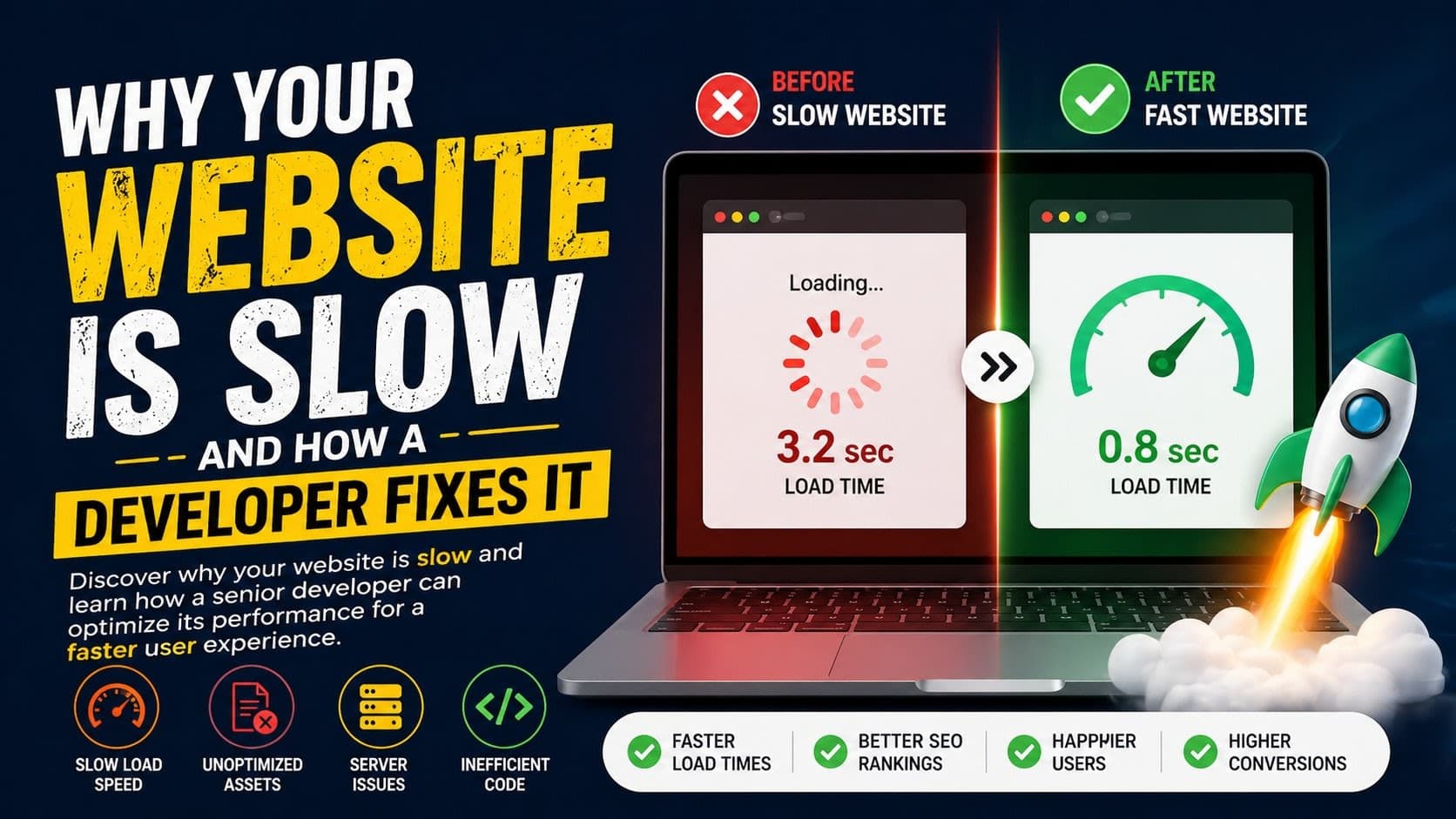
- Server response time, unoptimi
A sluggish website is a silent killer of user engagement and conversions. If your visitors are tapping their feet while waiting for pages to load, you're likely losing them to competitors. The good news? Most website speed issues stem from identifiable, fixable problems that a seasoned developer can resolve efficiently.
zed assets, and inefficient code are common culprits behind slow websites.
- Frontend optimization focuses on browser rendering and asset delivery, while backend optimization addresses server-side processing.
- Lazy loading, code splitting, and image compression significantly improve perceived and actual load times.
- Caching strategies (browser, server-side, CDN) drastically reduce redundant data fetching.
- A skilled developer can diagnose and implement these fixes, boosting user experience and SEO.
Understanding the Root Causes: Frontend vs. Backend
Website slowness isn't a monolithic problem; it's a symptom with various underlying causes, often categorized into frontend and backend issues.
Frontend Bottlenecks
These affect what the user's browser has to download and render. Common culprits include:
- Large, Unoptimized Assets: Images, videos, and fonts that are too big or not correctly formatted.
- Excessive HTTP Requests: Each file (image, CSS, JS) requires a separate request, slowing down initial page load.
- Render-Blocking JavaScript & CSS: Scripts and stylesheets that must be downloaded and processed before the page can display.
- Inefficient DOM Manipulation: Complex or poorly written JavaScript that causes the browser to redraw the page repeatedly.
Backend Bottlenecks
These relate to how your server processes requests and serves data. Issues here can include:
- Slow Server Response Time (TTFB): How long it takes for the server to send the first byte of data after a request.
- Database Inefficiencies: Slow queries, unindexed tables, or overloaded database servers.
- Unoptimized Application Logic: Inefficient code in your backend framework (e.g., Node.js, Python) that takes too long to execute.
- Lack of Server Resources: Insufficient CPU, RAM, or network bandwidth on the hosting environment.
Frontend Optimization Techniques
As a full-stack developer, I often start with the frontend because it has the most immediate impact on the user's perceived speed. Here’s what I look for:
1. Asset Optimization
- Image Compression: Using tools like TinyPNG or ImageOptim to reduce file sizes without significant quality loss. Modern formats like WebP offer better compression.
- Lazy Loading: Deferring the loading of images and iframes until they are about to enter the viewport. This dramatically speeds up initial page load.
- Font Loading Strategies: Using
font-display: swapin CSS to show text with a fallback font while the custom font loads, preventing invisible text.
2. Code Splitting & Minification
- JavaScript Code Splitting: Bundlers like Webpack or Vite can split your JavaScript into smaller chunks, only loading what's necessary for the current page. This is crucial for Single Page Applications (SPAs) built with React or Vue.
- CSS & JS Minification: Removing unnecessary characters (whitespace, comments) from code files to reduce their size.
3. Reducing HTTP Requests & Render Blocking
- CSS Sprites: Combining multiple small images into a single larger image to reduce requests (less common now with HTTP/2, but still relevant in some contexts).
- Async/Defer Attributes: Using
asyncordeferattributes on<script>tags to prevent JavaScript from blocking HTML parsing. - Critical CSS: Inlining the CSS required for above-the-fold content directly into the HTML to render critical parts of the page faster.
Backend Optimization Strategies
While frontend fixes provide immediate visual wins, a robust backend is essential for sustained performance, especially under heavy load. I often work with clients using Node.js and TypeScript for their backend APIs.
1. Server Response Time (TTFB)
- Efficient Code: Writing clean, performant Node.js code. Avoiding synchronous operations in critical paths.
- Database Query Optimization: Using indexes, optimizing
JOINoperations, and selecting only necessary fields. For example, a query that might take 500ms can often be optimized to under 50ms. - Caching: Implementing caching at various levels:
- In-Memory Caching (e.g., Redis, Memcached): Storing frequently accessed data in memory for near-instant retrieval. A Redis cache can reduce database load by 70-90% for read-heavy operations.
- HTTP Caching: Setting appropriate
Cache-Controlheaders for static assets and API responses.
2. API Performance
- GraphQL vs. REST: Choosing the right API architecture. GraphQL can be more efficient by allowing clients to request only the data they need, reducing over-fetching.
- Payload Size: Keeping API response payloads small. Avoid sending large, nested objects if not required.
3. Server & Infrastructure Tuning
- Load Balancing: Distributing traffic across multiple server instances to prevent any single server from becoming overwhelmed.
- CDN Usage: Using a Content Delivery Network (CDN) to serve static assets from servers geographically closer to the user, reducing latency.
- Serverless Functions: For certain workloads, serverless architectures (like AWS Lambda or Google Cloud Functions) can offer auto-scaling and cost efficiency.
Leveraging Caching Effectively
Caching is arguably the most powerful tool in a developer's arsenal for speeding up websites. It works by storing copies of frequently accessed data so that future requests can be served faster.
Types of Caching:
- Browser Cache: The user's browser stores static assets (images, CSS, JS). Setting long
Cache-Controlexpiry headers ensures these assets are re-used. - CDN Cache: CDNs cache static and sometimes dynamic content at edge locations worldwide. This significantly reduces latency for global audiences.
- Server-Side Cache: Applications often cache database query results, computed data, or full page responses in memory (e.g., Redis) or on disk.
- Database Cache: Databases themselves often have internal caching mechanisms for query plans and data blocks.
Example Scenario: A user requests a product page. The server fetches data from the database, processes it, and renders the HTML. Without caching, this happens on every request. With server-side caching, the rendered HTML or the raw data might be stored in Redis. The next request for the same page can retrieve this cached data in milliseconds, bypassing the database entirely. This can reduce load times from 1.5 seconds to under 200ms.
Performance Monitoring & Iteration
Speed optimization isn't a one-time fix; it's an ongoing process. Regular monitoring is key. Tools like Google PageSpeed Insights, GTmetrix, and WebPageTest provide valuable diagnostics. I also rely on Real User Monitoring (RUM) tools to understand performance from the perspective of actual users across different devices and locations.
Key Metrics to Track:
- Core Web Vitals: LCP (Largest Contentful Paint), FID (First Input Delay), CLS (Cumulative Layout Shift)
- TTFB (Time to First Byte)
- FCP (First Contentful Paint)
- Page Load Time
FAQ
What is the most common cause of a slow website?
Often, it's a combination of unoptimized images and inefficient server-side processing, leading to high TTFB and long page load times. Inefficient JavaScript execution on the frontend also plays a significant role.
How long does it take to fix a slow website?
This varies greatly. Simple optimizations like image compression and browser caching might take a few hours. Major backend overhauls, database tuning, or complete refactoring could take weeks or even months, depending on complexity and scope.
Can a slow website hurt my SEO?
Absolutely. Google uses page speed as a ranking factor, especially for mobile searches. Slow sites also lead to higher bounce rates and lower user engagement, indirectly impacting SEO.
Is it better to optimize frontend or backend first?
Generally, frontend optimizations yield quicker, more visible improvements for user experience. However, a fundamentally slow backend will always be a bottleneck. A balanced approach, starting with diagnostics to identify the biggest pain points, is usually best.
How much does website speed optimization cost?
For a small business website, basic optimizations might range from $500 to $2,000 USD. For complex e-commerce platforms or custom web applications, significant performance tuning could cost $5,000 - $20,000+ USD, depending on the level of engineering effort required.
Wrapping Up
Addressing website speed requires a systematic approach, combining frontend finesse with backend robustness. From optimizing images and code to fine-tuning server responses and implementing smart caching, the goal is always a faster, more engaging user experience. If you're building a high-performance web application and want a second pair of senior eyes to ensure it ships fast and scales efficiently, get in touch.