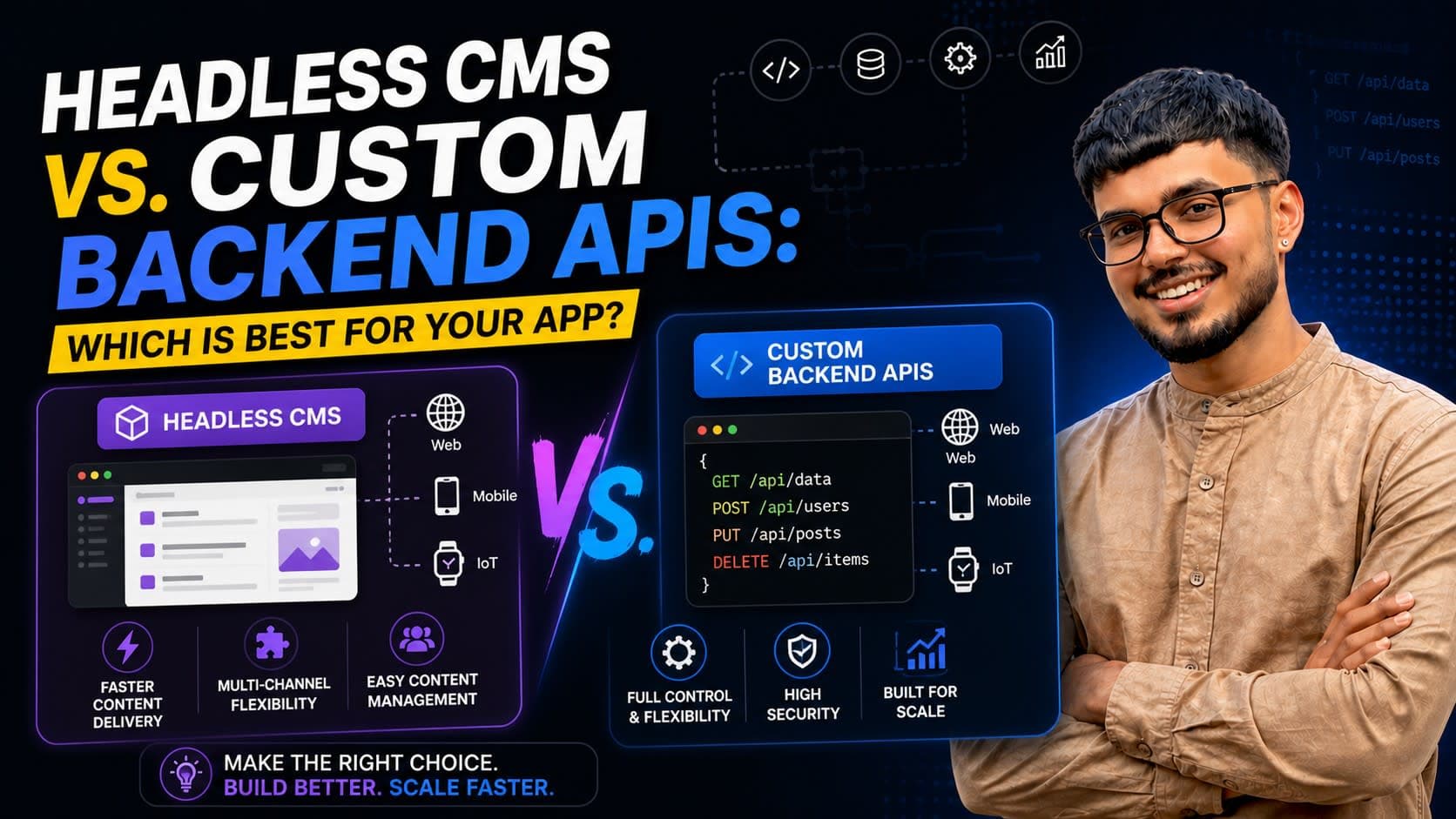
Building a modern web application often starts with a fundamental architectural decision: how will you manage your content and data? The choice between a dedicated headless CMS and a custom-built backend API profoundly impacts development speed, scalability, cost, and long-term maintainability. This article will dissect both approaches, offering a senior engineer's perspective on when to choose which.
TL;DR
- Headless CMS excels for content-heavy sites with diverse content types and non-technical content editors.
- Custom Backend APIs offer maximum flexibility for complex business logic, integrations, and unique data models.
- Development speed is often faster with a headless CMS initially, but custom APIs provide greater control over performance and scale.
- Costs vary: Headless CMS involves SaaS subscriptions; custom APIs incur development and infrastructure expenses.
- Hybrid approaches are increasingly common, leveraging both for specific use cases.
Understanding Headless CMS: A Content-First Approach
A headless CMS (Content Management System) is a backend-only content repository that makes content accessible via an API (typically REST or GraphQL) to any frontend application. It decouples content management from content presentation, allowing developers to use their preferred frontend frameworks (React, Next.js, Vue, Svelte, mobile apps, etc.) while content editors manage content in a user-friendly interface.
Pros of Headless CMS
- Faster Time-to-Market for Content: For websites driven by blogs, news, e-commerce products, or marketing pages, a headless CMS provides an instant content modeling and editing interface. This significantly reduces the initial development effort for content management.
- Empowers Non-Technical Users: Content editors can create, update, and publish content without developer intervention, improving workflow and reducing bottlenecks.
- Multi-Channel Delivery: Content can be pushed to websites, mobile apps, IoT devices, and other platforms from a single source of truth.
- Reduced Infrastructure Overhead: SaaS headless CMS providers handle hosting, scaling, security, and maintenance, freeing up engineering resources.
- Built-in Features: Many come with versioning, user roles, localization, media management, and webhooks out-of-the-box.
Cons of Headless CMS
- Vendor Lock-in: Migrating data and content from one headless CMS to another can be challenging and costly.
- Cost at Scale: While initial costs might be low, enterprise-tier plans can become expensive (e.g., hundreds to thousands of USD/CAD/GBP/INR per month) as content entries, API calls, and team members grow.
- Limited Custom Logic: Headless CMS platforms are optimized for content. Integrating complex business logic, custom authentication, or third-party APIs often requires workarounds or supplementary custom backend services.
- Performance Nuances: While API responses are generally fast, you're reliant on the CMS provider's infrastructure. Custom caching strategies might be harder to implement directly within the CMS.
Custom Backend APIs: Tailored for Business Logic
A custom backend API involves building your server-side application from scratch using frameworks like Node.js (Express, NestJS), Python (Django, Flask), Ruby on Rails, or others. You define your data models, business logic, authentication, and API endpoints precisely to your application's needs.
Pros of Custom Backend APIs
- Unmatched Flexibility and Control: You have complete control over every aspect of your application, from database schema to API design, deployment, and scaling strategies.
- Optimized Performance: Tailor your API to achieve optimal performance for your specific use cases. Implement advanced caching, database indexing, and query optimizations without external constraints.
- Complex Business Logic: Ideal for applications with intricate workflows, custom integrations with legacy systems, real-time data processing, or unique authentication requirements.
- Cost Control (Long-term): While initial development is higher, long-term operational costs can be lower than a high-tier SaaS CMS, especially if you have an efficient DevOps setup. Infrastructure costs (AWS, Azure, GCP) can be optimized.
- No Vendor Lock-in: You own your entire stack, allowing for easier migration or evolution of technologies.
Cons of Custom Backend APIs
- Increased Development Time: Building everything from authentication to content modeling, admin panels, and API endpoints takes significantly more time and engineering effort.
- Higher Maintenance Burden: You are responsible for all aspects of infrastructure, security, scaling, and ongoing maintenance. This requires skilled DevOps and backend engineers.
- Requires Specialized Skills: A strong team with expertise in backend development, database management, and API design is essential.
- Slower Content Operations: Without a dedicated admin UI, content updates often require developer intervention or a separate, custom-built content management interface, which adds to development cost.
Comparative Analysis: Key Decision Factors
When deciding between a headless CMS and custom backend APIs, consider these factors:
1. Content vs. Business Logic Dominance
- Headless CMS: Choose if your application is primarily content-driven (blogs, marketing sites, documentation, e-commerce product catalogs). Content is king, and editorial workflow is paramount.
- Custom Backend: Opt for this if your application is driven by complex business rules, user-generated data, real-time interactions, or deep integrations with other systems (e.g., fintech apps, SaaS platforms, internal tools).
2. Development Speed & Team Resources
- Headless CMS: Quicker initial setup for content management. Great for small teams or projects with tight deadlines where content iteration is frequent. Example: A startup needing to launch a marketing site and blog quickly.
- Custom Backend: Longer ramp-up, but offers complete control. Best for teams with dedicated backend and DevOps expertise, willing to invest time for a tailored solution. Example: A unique social network or a complex ERP system.
3. Scalability & Performance Needs
- Headless CMS: Scales well for content delivery, but you're bound by the provider's limits for API calls and data transfer. Good for most typical content-heavy sites.
- Custom Backend: Highly scalable and performant when designed correctly. You control the infrastructure, allowing for extreme optimization. Essential for high-traffic applications or those with demanding real-time requirements.
4. Cost Implications
| Feature | Headless CMS (SaaS) | Custom Backend API |
|---|---|---|
| Upfront Cost | Low (subscription fees) | High (development time, infrastructure setup) |
| Ongoing Cost | Monthly/annual subscription (scales with usage) | Hosting, maintenance, security patches, developer salaries |
| Scaling Cost | Often higher tiers for more content/API calls | Infrastructure scales, but operational cost can be optimized |
| Example (Small) | $20-100/month USD/CAD for Strapi Cloud / Contentful | $500-2000 initial development, $30-100/month AWS/GCP |
| Example (Large) | $500-5000+/month USD/CAD/GBP/INR for enterprise | $10k+ initial development, $500-5000+/month infra/ops |
Note: Costs are illustrative and vary widely based on specific providers, scale, and team rates.
5. Future Extensibility & Integrations
- Headless CMS: Excellent for content distribution. Integrations often happen via webhooks or specific SDKs. Extending core functionality can be limited.
- Custom Backend: Infinitely extensible. Integrate with any third-party service, build custom microservices, or adapt to new technologies seamlessly. This is a key advantage for long-term strategic projects. I've shipped several systems where a custom Node.js API handled complex payment flows and integrated with legacy CRMs, something a headless CMS would struggle with directly.
The Hybrid Approach: Best of Both Worlds?
In many modern applications, a hybrid architecture makes the most sense. You can use a headless CMS for managing marketing content, blog posts, or product descriptions, while a custom backend API handles user authentication, complex business logic, payment processing, and other core application features.
For example, a Next.js e-commerce application might:
- Fetch product details and marketing copy from a headless CMS (e.g., Contentful, Strapi).
- Interact with a custom Node.js API for user accounts, shopping cart logic, order processing, and payment gateway integration.
This approach leverages the strengths of each, providing a robust content management experience for editors and maximum flexibility for developers. I often recommend this pattern for clients who need both rapid content iteration and complex application features.
FAQ
Q: Can a headless CMS handle user authentication?
A: Generally, no. Headless CMS platforms are designed for content, not user management or authentication. You'll typically use a custom backend API or a dedicated authentication service (like Auth0, Firebase Auth) to manage users and their authentication flows.
Q: When is a low-code/no-code backend solution a good alternative?
A: Low-code/no-code backends (e.g., Firebase, Supabase, Xano) can be excellent for rapid prototyping or simple applications that don't require highly specialized logic. They sit somewhere between a headless CMS and a full custom backend in terms of flexibility and control, often providing database, authentication, and simple API generation.
Q: What about GraphQL vs. REST for custom APIs?
A: Both are valid choices. GraphQL offers clients more control over data fetching, reducing over-fetching and under-fetching, which can be beneficial for complex UIs. REST is simpler to implement initially for many common use cases. The choice depends on your client-side needs and team's familiarity. I've built robust systems with both, often preferring GraphQL for its type safety and efficiency in data-intensive React/Next.js applications.
Q: Is it possible to migrate from a headless CMS to a custom backend later?
A: Yes, it's possible but can be a significant undertaking. The migration involves extracting all content via the CMS's API, defining new data models in your custom backend, and then importing the data. Planning for data portability early can help ease this process if you anticipate such a move.
Final thoughts
The decision between a headless CMS and custom backend APIs isn't one-size-fits-all. It's a strategic choice that should align with your project's specific requirements, team capabilities, budget, and long-term vision. For content-rich applications, a headless CMS can be a game-changer for speed and editorial autonomy. For highly customized applications with complex business logic, the control and flexibility of a custom backend API are often indispensable. Often, the most pragmatic solution is a hybrid model that intelligently combines the strengths of both. If you're navigating these architectural decisions for your next project, or need help shipping this in production, let's talk. I've guided numerous clients through these choices, building scalable, performant systems with Next.js, React, Node.js, and TypeScript. You can also explore some of my recent projects to see how these architectures come to life.