The future of software development is increasingly intertwined with artificial intelligence. As startups strive for rapid iteration and robust codebases, choosing the right AI coding assistant becomes paramount. This comparison dives deep into Claude 4 and GitHub Copilot, two leading contenders poised to shape developer workflows in 2026, helping you make an informed decision for your engineering team.
TL;DR
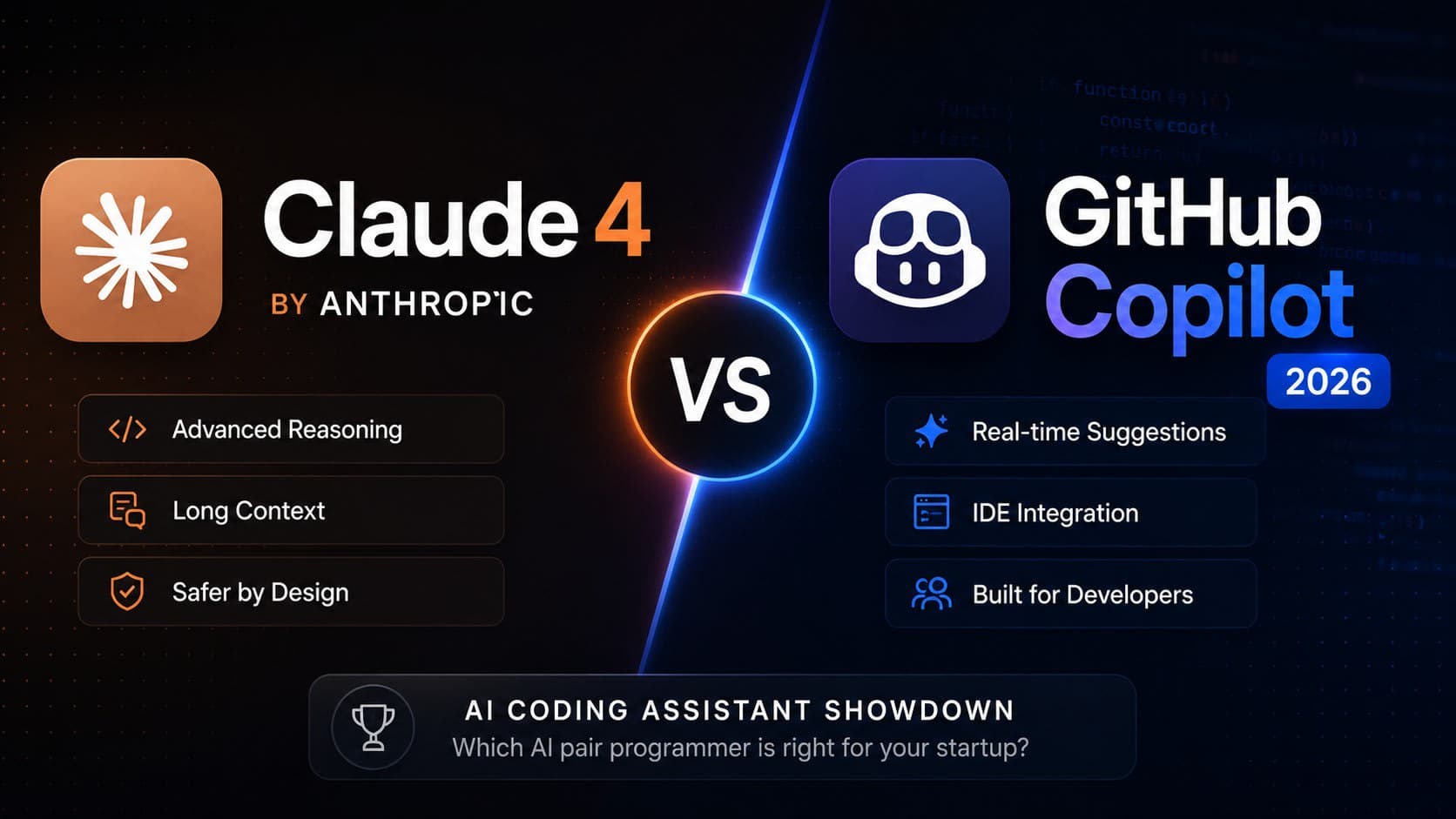
- Claude 4: Excels in understanding complex contexts, generating sophisticated code structures, and offering detailed explanations, making it ideal for intricate problem-solving and learning.
- GitHub Copilot: Offers seamless IDE integration, rapid code completion, and strong support for common patterns, making it a productivity booster for day-to-day coding tasks.
- Performance: Claude 4 shows promise in semantic understanding and architectural suggestions, while Copilot leads in speed and direct code generation within the editor.
- Startup Fit: Copilot is great for accelerating feature development; Claude 4 can be invaluable for architectural design and complex debugging.
The Evolving Landscape of AI Coding Assistants
Gone are the days when AI in coding was a novelty. Today, tools like Claude 4 and GitHub Copilot are becoming indispensable partners for developers. They promise to reduce boilerplate, suggest solutions, and even help identify bugs before they hit production. For startups, this translates to faster time-to-market and potentially more stable applications, crucial advantages in competitive landscapes across the US, Canada, UK, and India.
Claude 4: Contextual Understanding and Complex Generation
Anthropic's Claude 4, while not exclusively a code generator like Copilot, brings a formidable natural language understanding (NLU) and generation (NLG) capability to the table. Its strength lies in its ability to process vast amounts of context, understand nuanced requirements, and generate not just snippets, but larger, more coherent code structures. I've seen it tackle complex API integrations and even suggest architectural patterns based on a high-level problem description.
Strengths of Claude 4 for Development
- Deep Contextual Awareness: Claude 4 can ingest and reason over extensive documentation, existing codebases, or detailed problem statements. This allows for more relevant and accurate suggestions.
- Sophisticated Code Structuring: It's adept at generating well-organized functions, classes, and even basic project structures, often with explanations of the design choices.
- Problem Solving & Explanation: Beyond just writing code, Claude 4 can help debug complex issues by explaining potential root causes and offering multiple solutions.
Potential Use Cases in a Startup
- Architectural Design: Brainstorming and outlining microservice architectures or database schemas.
- Complex Algorithm Implementation: Generating and explaining intricate algorithms where correctness and efficiency are paramount.
- Onboarding New Developers: Providing clear explanations of existing codebase sections or new feature requirements.
GitHub Copilot: IDE Integration and Workflow Acceleration
GitHub Copilot, powered by OpenAI's Codex models, has become a de facto standard for many developers. Its seamless integration directly into popular IDEs like VS Code, JetBrains IDEs, and Neovim is its killer feature. It works by suggesting lines of code or entire functions as you type, based on the context of your current file and project.
Strengths of GitHub Copilot
- Real-time Code Completion: Offers highly relevant suggestions with minimal latency, significantly speeding up the writing of repetitive code, tests, and common patterns.
- IDE Native Experience: Feels like a natural extension of the editor, requiring no context switching.
- Broad Language Support: Trained on a massive corpus of public code, it supports a wide array of programming languages and frameworks.
Potential Use Cases in a Startup
- Rapid Feature Development: Quickly implementing UI components, API endpoints, or data transformations.
- Writing Unit Tests: Generating boilerplate test cases for functions and components.
- Reducing Boilerplate: Automating the creation of common patterns like data fetching, form handling, or basic CRUD operations.
Head-to-Head: Key Differentiators for 2026
As both tools evolve towards 2026, their core strengths will likely remain, but their capabilities will deepen.
| Feature/Aspect | Claude 4 (Projected 2026) | GitHub Copilot (Projected 2026) | Target User Need |
|---|---|---|---|
| Core Strength | Deep contextual understanding, complex reasoning, explanation | Real-time code completion, workflow acceleration, boilerplate reduction | Understanding intricate problems, architectural guidance vs. rapid implementation |
| Integration | Primarily chat-based or API access, potentially IDE plugins | Deep, native IDE integration | Flexible interaction vs. seamless in-editor experience |
| Code Generation | Larger structures, architectural suggestions, explanations | Line/function completion, common patterns, tests | Generating entire modules vs. speeding up line-by-line coding |
| Learning Curve | Moderate (requires effective prompting) | Very low (intuitive in IDE) | Investment in prompt engineering vs. immediate productivity boost |
| Cost (Est.) | Tiered subscription (e.g., $20-$50/month for pro features) | Tiered subscription (e.g., $10-$20/month per user) | Value proposition based on depth vs. breadth of assistance |
Note: Pricing is speculative for 2026 and will vary based on features and market conditions. Expect potential regional pricing differences in USD, CAD, GBP, and INR.
Evaluating Performance and Accuracy
In my experience, Copilot excels at providing syntactically correct and contextually relevant code for common tasks. It's like having an incredibly fast pair programmer who knows most standard libraries and frameworks inside out. For instance, when building a REST API endpoint in Node.js with Express, Copilot can often generate the route handler, request validation, and response logic with just a comment or function signature.
Claude 4, on the other hand, shines when the problem is less about rote implementation and more about design or deep logic. If I'm trying to implement a complex state management pattern in React or design a data pipeline in Python, Claude 4's ability to process the requirements and generate a more thought-out structure, along with detailed explanations, is invaluable. It requires more explicit prompting but can yield more insightful results for non-standard problems.
A Practical Example: Implementing a Feature Flag
Let's say we need a simple feature flagging system in a Next.js application.
Using GitHub Copilot:
I might start by creating a featureFlags.ts file and typing:
// Function to check if a feature is enabled
export const isFeatureEnabled = (flagName: string): boolean => {
  // TODO: Implement logic to fetch flags from environment variables or a config service
  const enabledFlags = process.env.ENABLED_FEATURES?.split(',') || [];
  return enabledFlags.includes(flagName);
};

// Example usage in a React component
import React from 'react';
import { isFeatureEnabled } from './featureFlags';

const MyComponent = () => {
  const showNewFeature = isFeatureEnabled('new-dashboard-widget');

  return (
    <div>
      <h1>Welcome!</h1>
      {showNewFeature && (
        <div>
          <h2>New Dashboard Widget</h2>
          <p>This is the exciting new feature.</p>
        </div>
      )}
    </div>
  );
};

export default MyComponent;
Copilot would likely auto-complete the isFeatureEnabled function body with a reasonable default (like the process.env check) and suggest the import and conditional rendering in MyComponent.
Using Claude 4:
I might prompt Claude 4 with:
"Generate a robust feature flagging system for a Next.js application. It should allow enabling/disabling features via environment variables and provide a clean API for components to check feature status. Include example usage in a React component."
Claude 4 might then provide:
- A more structured
featureFlags.tspotentially including a context provider for global access. - A
getFeatureFlagsutility function that parses environment variables. - A
FeatureProviderReact component. - A
useFeaturehook. - A clear example of how to wrap the application or use the hook.
// featureFlags.ts - Provided by Claude 4 (conceptual)

import React, { createContext, useContext, ReactNode } from 'react';

type FeatureFlags = Record<string, boolean>;

const getFeatureFlags = (): FeatureFlags => {
  const enabledFlagsString = process.env.NEXT_FEATURE_FLAGS || '';
  const enabledFlags = enabledFlagsString.split(',').map(flag => flag.trim()).filter(Boolean);

  // Assume all other flags are off by default, or implement a more complex logic
  // For simplicity, we'll just return flags explicitly enabled.
  const flags: FeatureFlags = {};
  enabledFlags.forEach(flag => { flags[flag] = true; });
  return flags;
};

const FeatureFlagContext = createContext<FeatureFlags>(getFeatureFlags());

interface FeatureFlagProviderProps {
  children: ReactNode;
}

export const FeatureFlagProvider = ({ children }: FeatureFlagProviderProps) => {
  const flags = getFeatureFlags();
  return (
    <FeatureFlagContext.Provider value={flags}>
      {children}
    </FeatureFlagProvider>
  );
};

export const useFeature = (flagName: string): boolean => {
  const flags = useContext(FeatureFlagContext);
  return flags[flagName] || false;
};

// Example Usage (likely in _app.tsx or similar layout)
// import { FeatureFlagProvider } from '../lib/featureFlags';
//
// function MyApp({ Component, pageProps }) {
//   return (
//     <FeatureFlagProvider>
//       <Component {...pageProps} />
//     </FeatureFlagProvider>
//   )
// }

// Example Usage in a Component
// import { useFeature } from '../lib/featureFlags';
//
// const Dashboard = () => {
//   const showNewWidget = useFeature('new-dashboard-widget');
//   return (
//     <div>
//       <h1>Dashboard</h1>
//       {showNewWidget && <NewWidgetComponent />}
//     </div>
//   );
// };
Claude 4's output would likely be more verbose, with comments and explanations, guiding the developer on how to integrate it properly.
Choosing the Right Assistant for Your Startup
For a startup, the choice often boils down to the immediate need versus long-term strategic advantage.
- For rapid prototyping and feature velocity: GitHub Copilot is hard to beat. Its ability to accelerate day-to-day coding makes it a powerful tool for small teams focused on shipping quickly. The low barrier to entry means developers can be productive almost immediately.
- For complex problem-solving, architectural decisions, and knowledge sharing: Claude 4 offers a deeper level of understanding. If your team is tackling novel challenges, requires in-depth explanations, or needs help designing robust systems, Claude 4's contextual reasoning is a significant asset.
Many teams will find value in using both. Copilot can handle the bulk of the implementation, while Claude 4 can be used for design discussions, code reviews, or understanding complex legacy systems. The combined power of these AI assistants can significantly augment a senior developer's capabilities.
FAQ
Q1: Can these AI assistants replace senior developers?
A1: No, not entirely. They are powerful tools that augment developer productivity, but they lack the critical thinking, architectural judgment, and nuanced understanding of business requirements that senior developers provide.
Q2: How do I ensure the code generated by AI is secure and efficient?
A2: Always review AI-generated code rigorously. Treat it as a suggestion from a junior developer. Perform thorough code reviews, run static analysis tools, and conduct performance testing to ensure security and efficiency.
Q3: Which tool is better for learning a new programming language or framework?
A3: Claude 4 might be more beneficial for learning due to its ability to provide detailed explanations and structured examples. However, Copilot can help you learn by seeing how common patterns are implemented in real-time.
Q4: What are the potential costs for a startup?
A4: Both tools are likely to offer tiered subscription models. For a small team of 5 developers, expect costs ranging from $50/month (Copilot basic) to potentially $250+/month (multiple users on premium tiers for either tool), with Claude 4 potentially being more expensive if it offers advanced enterprise features.
Wrapping up
The AI coding assistant landscape is evolving at breakneck speed. Both Claude 4 and GitHub Copilot represent significant advancements, offering distinct advantages. Copilot excels at accelerating the coding process through seamless IDE integration, while Claude 4 provides deeper contextual understanding for complex problem-solving and design. For a startup in 2026, the optimal strategy may involve leveraging both tools to maximize engineering efficiency and code quality.
If you're building a complex application or need to ensure your AI-assisted code is production-ready, let's talk about how senior engineering expertise can guide your project.